
BenQ MX613ST Projector Color Wheel Replacement – 6 Segment RGBCWY (4x Speed)
If your BenQ MX613ST short-throw projector shows rainbow artifacts, flickering image, incorrect colors, or starts making a high-pitched whining or grinding noise, the issue is usually a worn-out color wheel. In most cases, this is the only part that needs replacement.
This genuine BenQ MX613ST color wheel replacement restores proper brightness and color performance. It is not refurbished and not a low-quality replica. Built to original factory specifications for stable long-term operation.
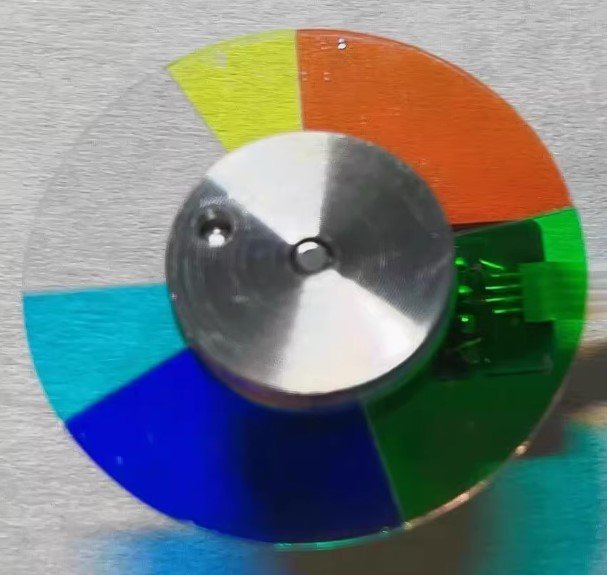
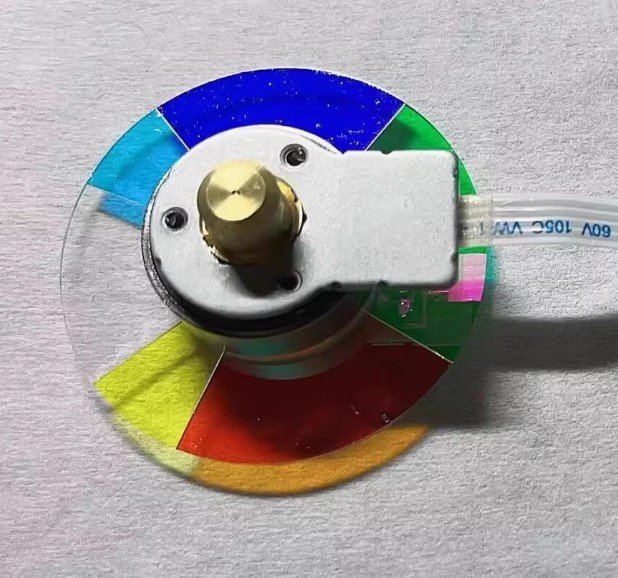
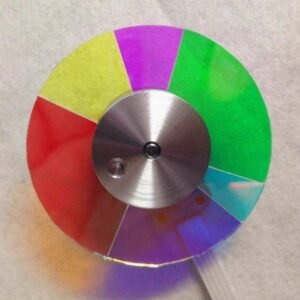
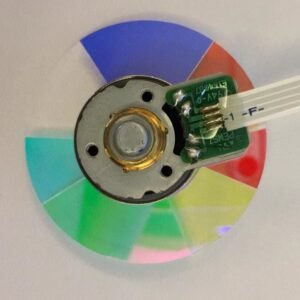
Exact specification: 6 segments, RGBCWY sequence, 4x speed (Red, Green, Blue, Cyan, White, Yellow). The RGBCWY design is optimized for high brightness projection and clear color balance in classroom and business environments.
| Compatible Model | BenQ MX613ST (Short-Throw Projector) |
| Condition | Brand new, 100% Original BenQ part |
| Segment Configuration | 6 segments – RGBCWY |
| Rotation Speed | 4x – optimized for stable classroom brightness |
| Installation | Direct replacement – reuse original housing if required |
Why RGBCWY Matters for MX613ST
The MX613ST uses a RGBCWY 6-segment color wheel designed for high-brightness projection. The white and yellow segments increase luminance, making it ideal for classrooms, meetings, and environments with ambient light. The cyan segment improves color separation for clearer images. At 4x speed, it maintains stable brightness while reducing rainbow artifacts in short-throw projection setups.
Common Symptoms of a Failing Color Wheel
- Projector shuts down shortly after startup
- Grinding or high-pitched whining noise
- Rainbow effect or flickering image
- Washed-out colors or incorrect color balance
Replacing the worn wheel with this BenQ MX613ST color wheel replacement restores stable operation, eliminates noise, and brings back original brightness and color clarity.
Installation is straightforward for technicians or experienced users. The mounting points align with the original design, and the flex cable connects directly.
Don’t replace the entire projector. Replace the one component that actually wears out and keep your MX613ST running reliably.
Tip: Verify RGBCWY sequence and check physical diameter before installation. Contact us with a photo if unsure.
Reviews
There are no reviews yet.