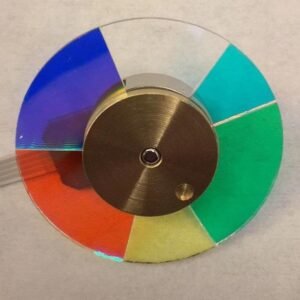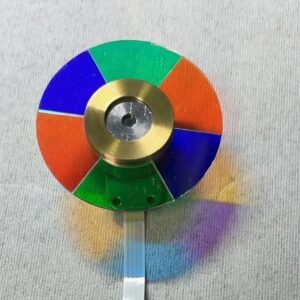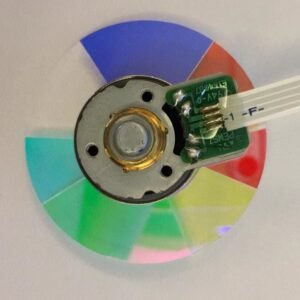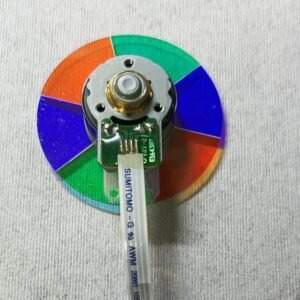
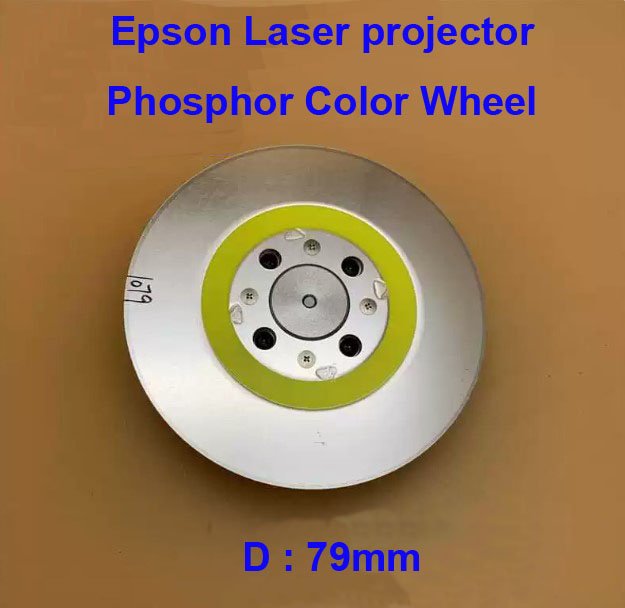
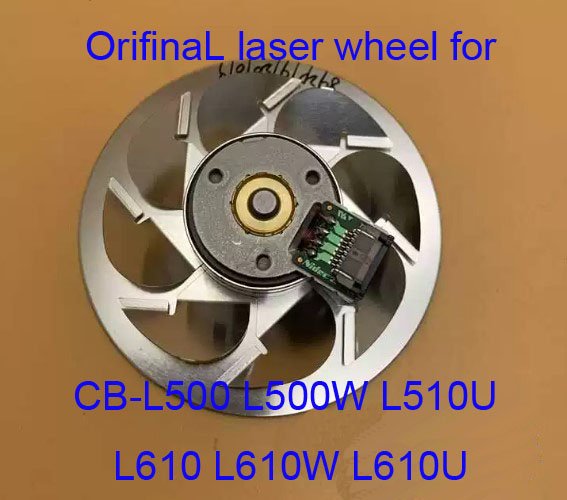
Epson 79mm Phosphor Color Wheel – Genuine Replacement for CB‑L500 / L500W / L510U / L610 / L610W / L610U Laser Projectors
If your Epson CB‑L500, L500W, L510U, L610, L610W, or L610U laser projector is showing a dim yellow or green tint, uneven brightness, flickering, or a “Laser Error” or “Optical Engine” warning – the phosphor color wheel is very often the cause. This genuine Epson 79mm phosphor color wheel (also called a phosphor roller or fluorescent wheel) is the exact replacement that restores proper laser-based light output.
It’s not a refurbished pull or a third‑party wheel. Original Epson phosphor coating, correct diameter (79mm), and factory-balanced rotor. The wheel is part of the blue laser conversion assembly – it transforms blue laser light into green and yellow light. When the phosphor layer burns out or delaminates, color shifts and brightness loss follow immediately.
| Compatible Models | Epson CB‑L500 (EB‑L500), CB‑L500W (EB‑L500W), CB‑L510U (EB‑L510U), CB‑L610 (EB‑L610), CB‑L610W (EB‑L610W), CB‑L610U (EB‑L610U) Also fits: Other L‑series laser projectors using the 79mm phosphor wheel – check your original diameter |
|---|---|
| Diameter | 79mm (precise fit for CB‑L series optical engine – not the smaller 65mm or 67mm wheels) |
| Component Type | Phosphor Color Wheel / Fluorescent Wheel (converts blue laser light to green/yellow) |
| Condition | New, original Epson service part (not refurbished) |
| Installation | Requires optical module access – advanced repair. Service manual recommended. Replaces the worn phosphor wheel behind the laser bank. |
| Service Manual | Available upon request for CB‑L500 / L610 series – ask for the download link |
Why the phosphor wheel fails – and why you need the genuine 79mm version
In Epson’s laser projectors, a blue laser diode array shines onto a spinning phosphor wheel. The phosphor emits green and yellow light, which is then combined with the remaining blue light to create white. The wheel spins at high speed (typically 6,000‑7,000 RPM) and the phosphor layer is exposed to intense laser energy. Over time (usually 8,000‑15,000 hours), the phosphor can:
- Burn out – a dark spot forms on the wheel, causing a permanent dim area or color shift.
- Delaminate – the phosphor layer peels off, leading to flickering and error codes.
- Develop cracks – the glass substrate can crack from thermal stress, causing noise and complete failure.
- Lose efficiency – the projector’s brightness drops significantly even at 100% laser power.
A generic phosphor wheel may have the wrong phosphor formulation, leading to incorrect color temperature (whites look blue or pink) or faster burnout. This genuine 79mm Epson wheel has the exact phosphor blend and substrate thickness for accurate color reproduction in your L‑series projector.
Classic symptoms of a failing phosphor wheel
- Dim or uneven brightness – one area of the screen is darker, or the entire image is dim.
- Yellow or green tint – whites look yellowish, especially at lower brightness settings.
- Flickering that changes with laser power – flicker is worse at 100% output, less noticeable at 50%.
- Grinding or whining noise – the wheel bearing is failing, often accompanied by brightness fluctuations.
- Projector shuts down with a laser / optical engine error – the light sensor detects incorrect light output.
- Error message “Phosphor Wheel Speed Abnormality” – the wheel is not spinning at the correct speed.
If you have already cleaned the air filters and checked the laser driver board, the phosphor wheel is the next most likely cause – especially on projectors with high hours or those run in dusty environments.
Restore your CB‑L500 / L610 laser projector – not the whole unit
Replacing the phosphor wheel is an advanced repair. The wheel is housed inside the sealed optical engine, behind the laser bank. Access requires removing the laser module, which involves discharging the laser capacitor bank (safety first!). The new 79mm wheel mounts on the same spindle as the old one, and the flex cable connection is identical. Once replaced, your projector will deliver full brightness again – accurate whites, stable color, and no more flickering. This genuine part is the cost‑effective way to extend the life of your L‑series laser projector, avoiding a full projector replacement.
Note: The phosphor wheel diameter is critical. The CB‑L series uses a 79mm wheel. Confirm your old wheel’s diameter before ordering – many other Epson laser models use 65mm or 67mm wheels, which will not fit. Send us a photo of your original wheel with a ruler next to it if you are unsure.