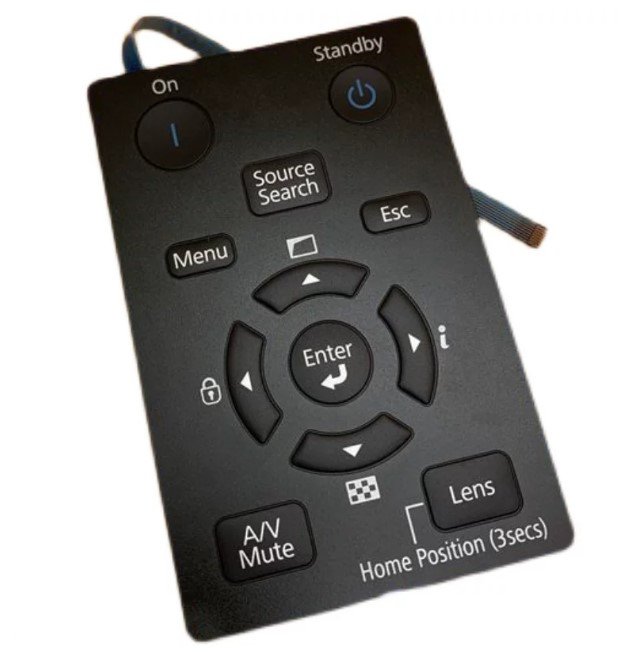
Original Epson EB-G7000 Projector Keyboard Panel Replacement
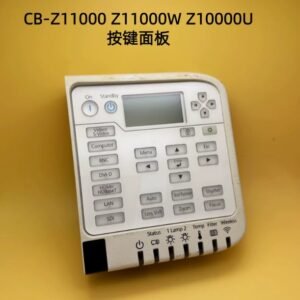
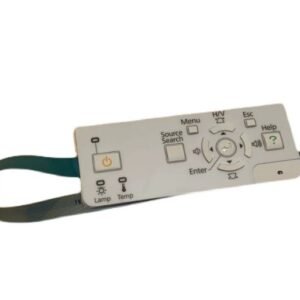
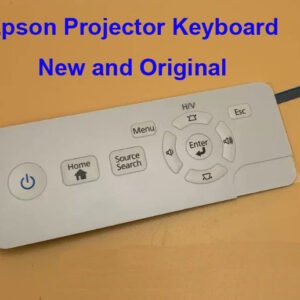
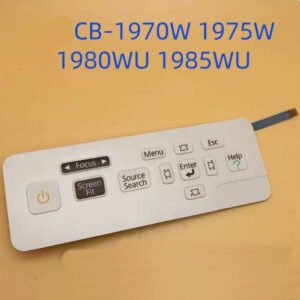
This genuine Epson keyboard panel is a direct replacement control button assembly for selected Epson EB-G7000 Series installation projectors. Designed as an original Epson spare part, it restores full local projector control when the existing keypad becomes damaged, worn, cracked, or unresponsive.
The keyboard panel provides access to essential projector functions including power operation, menu navigation, source selection, lens adjustment, and system settings. All connectors, mounting points, and button layouts match the factory-installed Epson component for straightforward replacement.
Compatible Epson Projector Models
- EB-G7000W / Pro G7000W
- EB-G7100 / Pro G7100
- EB-G7200W / Pro G7200W
- EB-G7400U / Pro G7400U
- EB-G7500U / Pro G7500U
- EB-G7800 / Pro G7805
- EB-G7900U / Pro G7905U
Designed for Professional Installation Projectors
The Epson EB-G7000 Series projectors are widely deployed in auditoriums, lecture halls, conference centres, museums, houses of worship, exhibition venues, and large-scale presentation environments. A properly functioning keyboard panel allows operators and technicians to access projector controls directly from the projector whenever remote-control systems are unavailable.
Because these projectors are frequently installed in fixed locations for many years, the keyboard assembly can become worn through regular operation, maintenance work, transportation, or accidental damage. Replacing the original panel restores reliable control and helps extend the service life of the projector.
Common Reasons for Replacement
- Power button no longer responds correctly.
- Menu and navigation buttons stop functioning.
- Buttons become worn after extended use.
- Control panel housing is cracked or physically damaged.
- Ribbon cable or connector failure.
- Moisture or contamination affecting switch operation.
Installation Information
This keyboard panel is designed as a direct replacement for the original Epson assembly. Installation typically requires removal of the projector cover, disconnection of the original ribbon cable, and installation of the replacement panel using the existing mounting hardware.
No soldering, firmware updates, software programming, calibration procedures, or service menu adjustments are required after installation.
| Part Type | Projector Keyboard Panel / Control Button Assembly |
|---|---|
| Brand | Original Epson Spare Part |
| Condition | Brand New |
| Installation Type | Direct Replacement |
| Programming Required | No |
| Package Includes | Keyboard Panel Assembly Only |
Compatibility Notice: Please compare your original keyboard panel with the product photos before ordering. If you are unsure whether this part is suitable for your projector, send us your projector model number and photos of the original panel for compatibility verification.