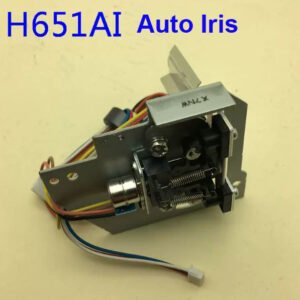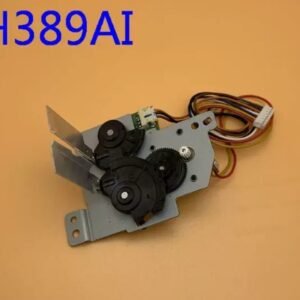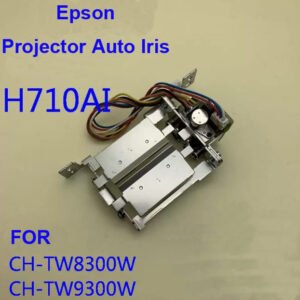
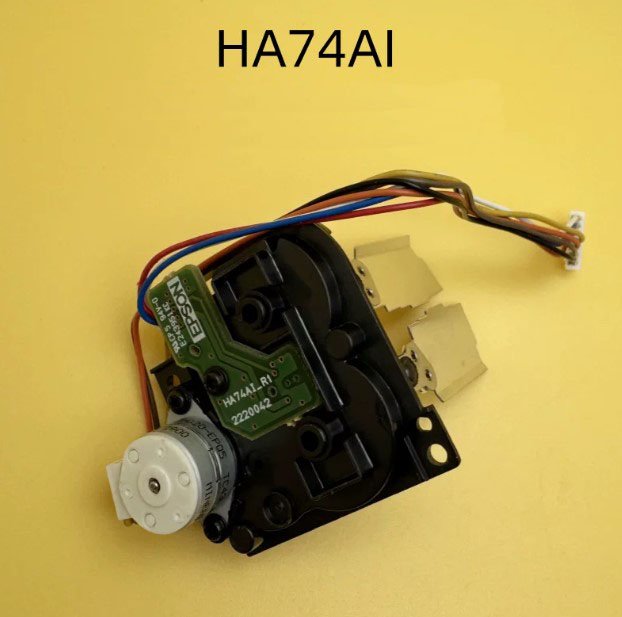
Epson HA74AI Auto Iris Assembly – Genuine Replacement for CH-TW5750 / TW6150 / TW6250 / TW6250T / TW6280T / TZ2800
If your Epson CH-TW5750, TW6150, TW6250, TW6250T, TW6280T, or TZ2800 home cinema projector is showing a flickering image, sudden brightness shifts, a constant clicking or grinding noise from inside, or the picture is stuck at a fixed brightness level regardless of scene content – the auto iris assembly has likely failed. This genuine Epson HA74AI auto iris unit is the exact replacement that restores proper dynamic contrast control for deep black levels.
It’s not a refurbished pull or a third‑party mechanism. Original Epson iris blades, factory‑calibrated stepper motor, and correct light aperture profile for the TW/TZ series optical engine. The assembly is labelled HA74AI – match it with your original before ordering.
| Compatible Models | Epson CH‑TW5750 (Full HD 1080p), CH‑TW6150 (4K PRO‑UHD), CH‑TW6250 (4K PRO‑UHD), CH‑TW6250T, CH‑TW6280T (4K PRO‑UHD with Android TV), CH‑TZ2800 (4K PRO‑UHD) – home cinema / gaming series |
|---|---|
| Part Number | HA74AI |
| Component Type | Dynamic Auto Iris Assembly – Controls light output for improved black levels and dynamic contrast ratio |
| Condition | New, original Epson service part (not refurbished) |
| Installation | Requires optical engine access – moderate to advanced repair. The iris mounts directly in front of the light path, behind the lens assembly. |
| Common Failure Signs | • Rapid or erratic brightness flickering – the iris blades are stuck or the motor is failing • Clicking, grinding, or buzzing noise coming from inside the projector, especially during scene transitions • Image stuck at maximum or minimum brightness – auto iris does not respond, contrast ratio suffers • Projector error code or blinking status lights • Visible dark or light patches that move on the screen (misaligned or damaged blades) |
| Alternative Names | Dynamic Iris, Auto Iris Mechanism, Contrast Control Module, Optical Iris |
What the auto iris does – and why it fails
The auto iris is a mechanical assembly with thin metal blades that open and close to adjust light output in real time. When the scene is bright, the iris opens fully. When the scene is dark, the iris closes to improve black levels. On TW/TZ series projectors, this is how they achieve high dynamic contrast ratios (typically 40,000:1 to 100,000:1).
After years of operation (especially in home theater environments where the projector is used for movies and gaming), the stepper motor can wear out, the blades can warp from heat, or the gear train can strip. Common failure symptoms include:
- Flickering brightness – the iris opens and closes randomly or constantly oscillates, ruining the viewing experience.
- Clicking or grinding noise – the motor tries to move but the gear slips or the blades are stuck. This is often audible during dark scenes.
- No dynamic range – the iris stays fully open (washed out blacks) or fully closed (dim image), killing contrast.
- Error condition – the projector detects a motor stall and locks the iris, sometimes showing a blinking error code.
A non‑original or generic iris mechanism may have incorrect blade shape, different motor resistance, or improper mounting alignment – leading to inconsistent contrast or mechanical binding. This genuine HA74AI assembly matches the original Epson optical path exactly, ensuring smooth, silent, and accurate iris control for your home cinema projector.
When to replace the auto iris vs. disable it
If you never use the dynamic iris feature, you can sometimes disable it in the projector’s Image menu (set Auto Iris to Off). However, if the iris is mechanically stuck halfway, it will still affect brightness and may cause noise. Replacing the HA74AI assembly is the only permanent fix. Without a functioning auto iris, your TW or TZ projector loses its advertised contrast performance – black levels will look gray, and the image will appear flat.
Restore your Epson home cinema projector – not the whole unit
Replacing the auto iris requires removing the top cover and the lens assembly housing. The iris assembly sits directly in the light path, usually secured by two or three screws and connected by a small flex cable. Swap the old unit for the new HA74AI, and your projector’s dynamic contrast will work like new again – no more flickering, no more noise, and blacks as deep as the day the projector shipped. Keep your 4K home cinema experience immersive without the cost of a full projector replacement.
Note: Before ordering, send us a photo of your original auto iris assembly showing the HA74AI label. Some TW/TZ series models use different iris revisions, and we can visually confirm compatibility.