
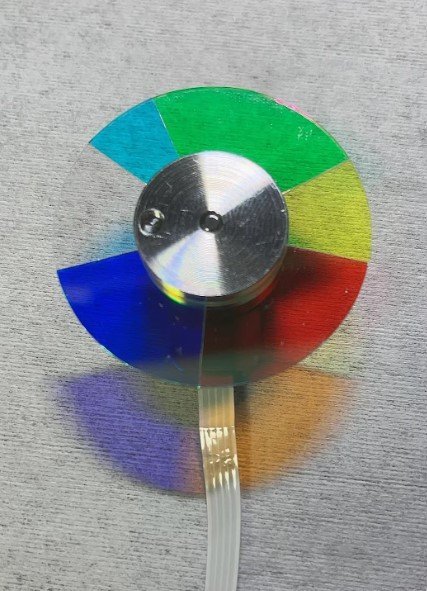
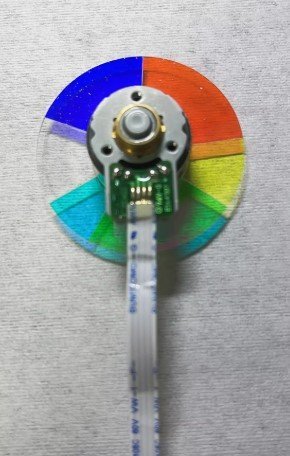
Optoma HD25 Projector Color Wheel – New Original 6 Segment RYGCWB (4x Speed)
So your Optoma HD25 is acting up. Maybe the colors look like a bad oil painting — greens are muddy, skin tones shift from pink to grey. Or maybe you hear a high‑pitched whine that changes when the image gets brighter. And sometimes, the lamp lights up but the screen stays dark. Before you scrap the whole projector, know this: nine times out of ten, it’s just the color wheel.
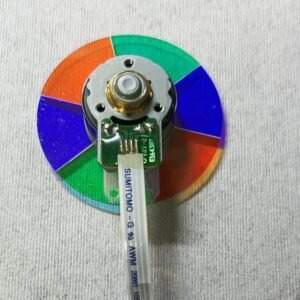
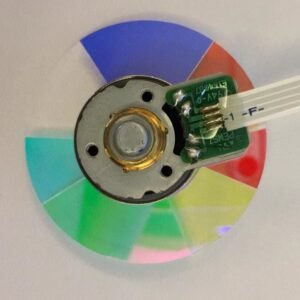
This new original Optoma HD25 color wheel is the direct factory‑grade replacement. It’s not refurbished — no pulled parts from a dead machine. It’s not a knock‑off with cheap coatings that peel after 50 hours. It matches exactly what Optoma installed on the production line: same glass, same mirror coating, same dynamic balance. Repair shops keep these on hand for a reason.
| Compatible Model | Optoma HD25 (all variants / standard HD25) |
| Condition | New & Original (not refurbished) |
| Segment Configuration | 6 segments |
| Color Sequence | R‑Y‑G‑C‑W‑B (Red, Yellow, Green, Cyan, White, Blue) |
| Rotation Speed | 4x (faster than standard – reduces rainbow effect) |
| Installation | Direct replacement – original mounting holes & flex cable |
Why the 4x speed and RYGCWB sequence are not optional
The HD25’s DLP chip and firmware are hard‑timed to a 6‑segment RYGCWB wheel running at 4x speed. The exact order matters: Red, Yellow, Green, Cyan, White, Blue. Even a different 6‑segment wheel (say, RYGCWB but swapped positions, or a different white segment location) can trigger a startup error or permanent color distortion. The 4x speed is faster than the 3x wheels found in some other Optoma models – it’s specifically designed to reduce the rainbow effect for sensitive viewers. The white segment keeps brightness punchy for gaming or daytime use, and the cyan segment expands color gamut for movies.
What a failing color wheel sounds and looks like (real‑world signs)
You don’t need a diagnostic tool. If you hear a constant whining or a rhythmic grinding that gets louder when the projector warms up – that’s a dying bearing. If you see rainbow trails behind fast‑moving objects or a flickering that makes you squint – the glass segments are either delaminating or the wheel is out of balance. And if the projector powers on, the lamp lights, but the screen stays dark or shuts off after a few seconds – the color wheel has failed its self‑check. This new wheel fixes every single one of those problems.
Install it once, forget about it
Swapping the color wheel is a straightforward repair for anyone who’s comfortable opening a projector case. The mounting points are identical to the original, and the flex cable connector clicks right in. Put a fresh bearing and a perfectly balanced rotor back into your HD25, and it will spin silently at thousands of RPM for years. No more noise, no more weird colors – just the clean, bright image you bought the projector for.
If your lamp still has life left, don’t send the whole projector to recycling. Replace the one part that actually wears out. Your HD25 will thank you.
Reviews
There are no reviews yet.