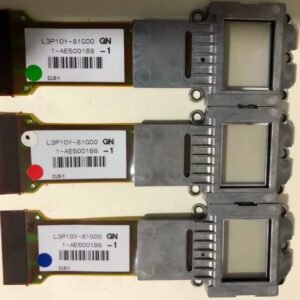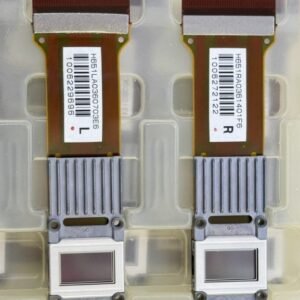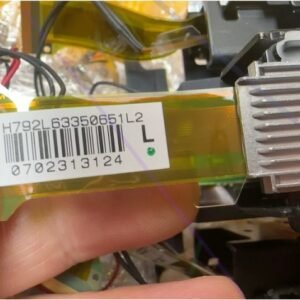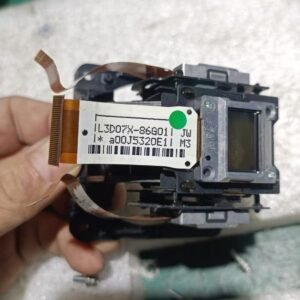
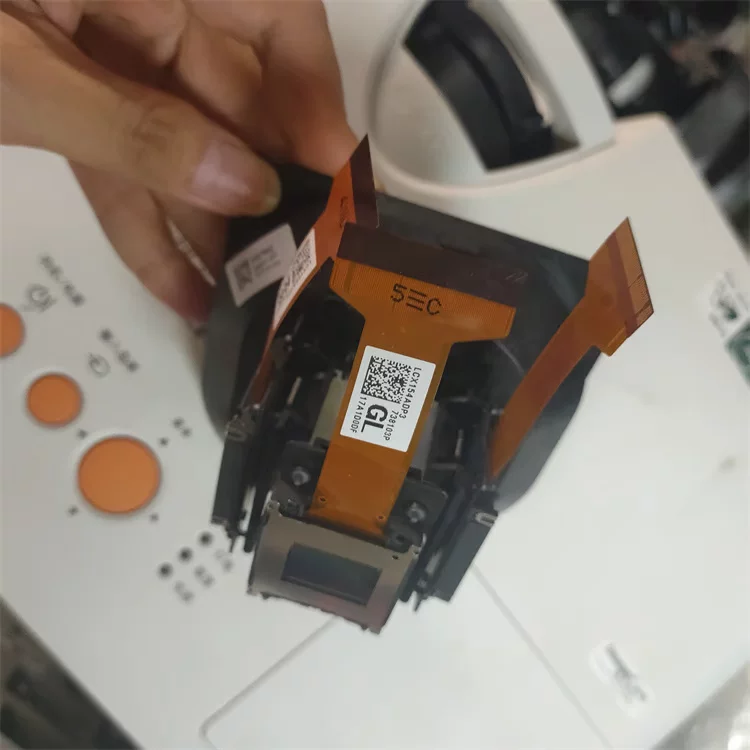
Sony VPL‑F535HZL LCD Panel Replacement – LCX154A (Single Panel)
Advanced repair – convergence adjustment required. This is a genuine replacement single LCD panel (model LCX154A) for the Sony VPL‑F535HZL laser projector. The VPL‑F535HZL uses three separate 0.76‑inch BrightEra 3LCD panels (Red, Green, Blue). This listing is for one individual panel only. It is not a factory pre‑aligned 3LCD block.
The VPL‑F535HZL is a high‑brightness laser projector using Sony’s Advanced BrightEra 3LCD technology with 0.76‑inch panels at native WUXGA resolution (1920×1200)[reference:0][reference:1][reference:2]. The LCX154A panel is the correct spare for this model and also works with compatible Sony installation projectors, but always match the defective panel’s part number and colour channel (Red, Green, or Blue) before ordering.
| Compatible Models | Sony VPL‑F535HZL, VPL‑F535HZ, VPL‑F435HZ series, VPL‑F630HZ, VPL‑F635HZ (verify original part number) |
|---|---|
| Panel Model | LCX154A (0.76‑inch BrightEra LCD) |
| Panel Size | 0.76 inches (19 mm) diagonal – 3LCD system, R/G/B separate panels |
| Native Resolution | WUXGA (1920×1200) – 6,912,000 total pixels (1920×1200×3) |
| Projector Brightness | 5,200 lumens (laser light source) |
| Display Technology | 3LCD, Sony BrightEra panel with inorganic alignment layer |
| Aspect Ratio | 16:10 |
| Included Items | Single LCX154A LCD panel only. No polarisers, no prism block, no flex cables (reuse original). |
| Installation Requirement | Manual convergence mechanics required. Service menu panel shift software alignment may also be needed. Must be performed by a trained technician. |
| Skill Level | Advanced / Professional (laser safety, optical block disassembly, service documentation required). |
| Part Note | LCX154 and LCX159 are physically and electrically identical; LCX154A is the latest revision. Some repair databases list the same panel as LCX154/LCX159. |
Common symptoms of LCD panel failure – VPL‑F535HZL
- Colour tint / missing colour channel – The image has a strong red, green, or blue cast because the corresponding LCD panel has failed.
- Dead or stuck pixels – Permanent black or white dots in one colour channel that do not disappear with input changes.
- Vertical banding or uneven brightness – Single‑colour vertical lines or streaks visible across the image (not a lens or dust issue).
- Burnt or degraded panel – Visible heat damage, brown patches, or delamination of the polariser layer on the LCD surface.
- Partial image or dark quadrant – A portion of the image is missing one colour because a panel driver has failed.
Installation – advanced level only
This is not a beginner job. Replacing the LCX154A panel requires:
- Complete removal of the optical block from the projector chassis.
- Disassembly of the 3LCD prism assembly without damaging the two remaining panels.
- Re‑soldering or reseating delicate flex cables (polariser ribbons).
- Using the Sony service menu to run panel alignment and convergence routines after mechanical adjustment.
- Understanding laser safety precautions before accessing the optical block (residual capacitor charge even after power‑off).
Sony laser projectors use integrated laser diode modules. Do NOT attempt this repair without the official Service Manual and proper ESD protection.
Why you need the exact LCX154A panel
The VPL‑F535HZL’s 3LCD timing, drive voltages, and panel resolution (WUXGA 1920×1200) are hard‑coded to the BrightEra LCX154A panels. Using a physically incompatible panel (wrong resolution, size, or internal passband) will cause image corruption, complete non‑operation, or even driver board damage. LCX154 and LCX159 are interchangeable and refer to the same panel type; ensure the replacement matches your original’s colour channel.
Order only if you have professional projector repair experience – this is a colour‑critical optical component.