
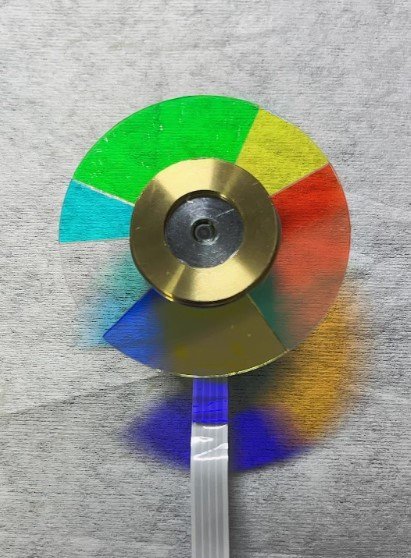
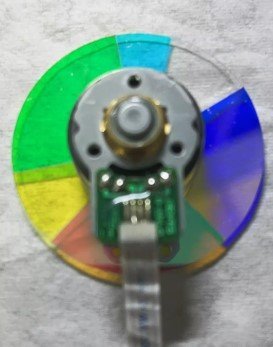
ACER X1160 Color Wheel Replacement – Original
So your ACER X1160 projector is acting up. Maybe it shuts down a few seconds after the lamp lights. Maybe it makes a grinding or whining noise that gets louder with bright scenes. Or maybe the colors look wrong – skin tones appear muddy, whites have a yellow tint, or you see constant rainbow flashes. Before you throw it out, know this: that’s almost always the color wheel.
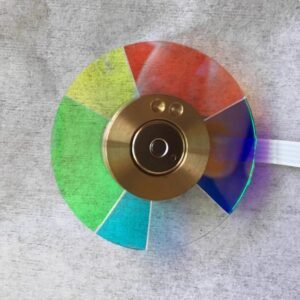
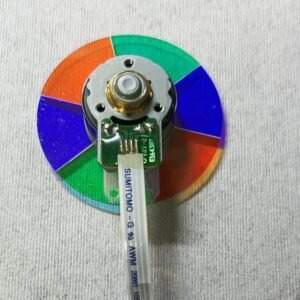
This is the genuine ACER X1160 projector color wheel. Not a refurbished pull from some other dead projector. Not a cheap copy with coatings that peel off after 50 hours. Factory fresh, 100% original ACER spare part, with the exact specs your X1160 needs: 6 segments, 5x speed, RYGCWB sequence (Red, Yellow, Green, Cyan, White, Blue).
| Compatible Models | ACER X1160, ACER X1163 |
| Condition | Brand new, 100% Original & Genuine ACER Spare Part |
| Segment Configuration | 6 segments – RYGCWB (Red, Yellow, Green, Cyan, White, Blue) |
| Rotation Speed | 5x speed – ultra‑smooth, minimal rainbow artifacts |
| Motor | Nidec motor – high durability, low noise |
| Installation | Direct replacement – reuse original housing if needed |
Why the RYGCWB sequence and 4x speed matter
ACER’s DLP timing on the X1160 and X1163 is specifically calibrated for the RYGCWB color wheel sequence (Red, Yellow, Green, Cyan, White, Blue). The white segment boosts brightness for presentations and well-lit rooms, while the yellow and cyan segments improve color saturation and skin tone accuracy. The 4x rotation speed offers an excellent balance – noticeably smoother than standard 3x wheels, reducing rainbow effect without the added motor wear of 5x designs. Using a different wheel (such as RGBRGB or RGBCWY) can cause startup failure, washed-out colors, or permanently incorrect white balance.
Common symptoms of a failing ACER X1160 color wheel
- Projector shuts down shortly after power‑on (often with a loud whine)
- Grinding or high‑pitched spinning noise
- Rainbow artifacts or flickering image
- Colors look dull, whites have a yellow/pink cast, or reds appear orange
Replacing the old unit with this genuine ACER X1160 color wheel restores proper operation, eliminates noise, and brings back accurate, bright colors – whether you’re in a classroom, office, or home theater.
Swapping the color wheel takes about 20 minutes if you’re comfortable opening a projector. The Nidec motor aligns perfectly with the original bracket, and the flex cable connects directly. Once installed, the fresh bearing eliminates noise, and the factory balance ensures smooth, stable operation.
Don’t scrap a good DLP chip and lamp. Replace the one part that actually wears out — and get back to smooth, rainbow‑free projection in no time.
Tip: Match the segment pattern (RYGCWB) and diameter with your old wheel. Contact us with a photo if unsure.
Reviews
There are no reviews yet.