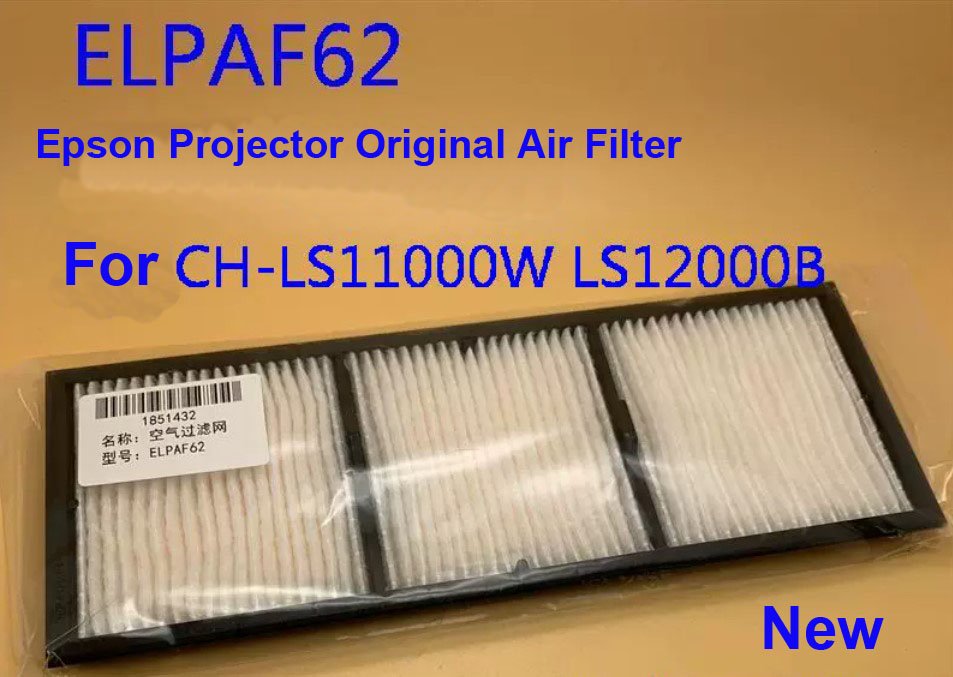
Epson ELPAF62 Original Air Filter – for CH-LS11000W / LS12000B Laser Projectors
If your Epson CH‑LS11000W or CH‑LS12000B 4K laser projector is showing a “Clean Air Filter” message, the image seems warmer than usual, or the cooling fans are running louder – a clogged air filter is usually the reason. This genuine Epson ELPAF62 replacement air filter restores proper airflow and keeps your projector running at its peak.
It’s not a third‑party cut‑down filter that lets dust through. Original Epson material, exact fit for the LS series laser chassis. Filter life is rated for approximately 5,000 hours under normal conditions, but dusty environments will require more frequent changes. Your projector’s internal temperature sensors will thank you.
| Compatible Models | Epson CH‑LS11000W, CH‑LS12000B Also fits: EH‑LS9000B, EH‑LS12000B (global versions) |
|---|---|
| Part Number(s) | ELPAF62 (Epson Global Code: V13H134AB0) |
| Component Type | Replacement Air Filter (intake side) |
| Condition | New, original Epson service part (not refurbished) |
| Installation | Direct replacement – slides into the side filter slot, no tools required (projector can stay mounted) |
| Service Manual | Available upon request for filter maintenance interval reset |
Why the ELPAF62 matters for your LS series projector
The CH‑LS11000W and LS12000B use a high‑density electrostatic filter to protect the sealed optical engine. Over time, dust buildup restricts airflow, causing:
- The projector to run hotter (shortening laser diode life)
- Fans to spin faster and become noisier
- Potential shutdowns due to over‑temperature protection
- Accelerated dust accumulation inside the phosphor wheel assembly
Epson recommends cleaning the filter every 5,000 hours, but replacement is necessary when the filter material is visibly gray, caked with dust, or no longer responds to vacuuming[citation:1]. A fresh ELPAF62 filter restores proper static pressure and cooling efficiency.
When to replace – and when to just clean
You can vacuum the filter between replacements. Remove the filter by loosening the two screws on the side cover (see service manual), lift the stopper, and pull the filter out[citation:1]. Tap or vacuum the front side (the side with the tabs). Never use compressed air – it pushes dust deeper into the projector[citation:1].
Replace the filter immediately if:
- The filter cleaning message reappears shortly after cleaning
- The filter material is torn or visibly deformed
- You have already cleaned it 3‑4 times (the electrostatic layer degrades)
- The projector has logged over 10,000 hours and the filter has never been changed
Restore proper cooling – not just a filter
A clean, genuine filter is the cheapest insurance for your expensive laser projector. The LS12000B and LS11000W are designed for 20,000 hours of laser life[citation:5][citation:6]. Restricted airflow is one of the few things that can shorten that lifespan prematurely. Replace the ELPAF62 filter and reset the maintenance counter (service manual procedure). Your projector’s thermal performance will return to factory spec – quieter fans, lower internal temperatures, and peace of mind.
Note: The ELPAF62 is also sold under the global code V13H134AB0[citation:7][citation:8][citation:9]. If your original filter has a different number but looks identical, send us a photo for compatibility confirmation.