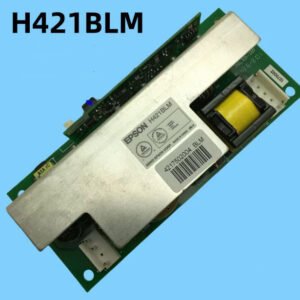
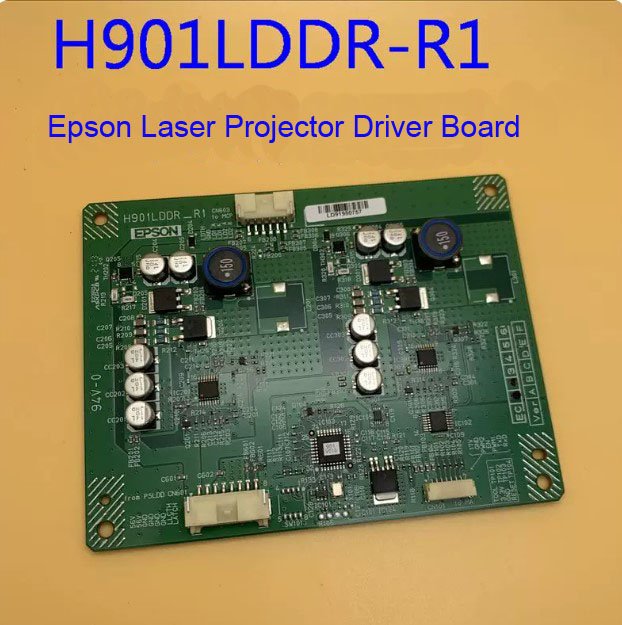
Epson H901LDDR_R1 Laser Driver Board – Genuine Replacement for CB‑L400 / L500 / L500W / L510U / L610
If your Epson CB‑L400, L500, L500W, L510U, or L610 laser projector is showing a dim image, won’t reach full brightness, flickers, or displays a laser error code – the laser driver board is a common failure point. This genuine Epson H901LDDR_R1 laser driver board is the exact service part that restores proper power delivery to the laser diodes.
It’s not a refurbished pull or a third‑party clone. Original Epson PCB with factory‑calibrated current regulation and thermal protection. The board is labelled H901LDDR_R1 – match it with your original before ordering.
| Compatible Models | Epson CB‑L400 (EB‑L400), CB‑L500 (EB‑L500), CB‑L500W (EB‑L500W), CB‑L510U (EB‑L510U), CB‑L610 (EB‑L610) Also fits: CB‑L610W and other L‑series models using the same laser driver |
|---|---|
| Part Number | H901LDDR_R1 (Epson Service Code) |
| Component Type | Laser Diode Driver Board – Converts main power to regulated current for the blue laser bank |
| Condition | New, original Epson service part (not refurbished) |
Why the laser driver board fails – and why you need the genuine H901LDDR_R1
Laser projectors regulate light output by varying the current to multiple banks of blue laser diodes. The driver board contains high‑power MOSFETs and precision current sense circuits. Over time (typically 10,000‑15,000 hours), thermal cycling can cause:
- Dim image even at 100% output – the board no longer delivers full rated current to the laser diodes.
- Flickering brightness – unstable current regulation causes visible pulsing.
- Laser error codes – the projector detects incorrect current draw and shuts down (typically error code 90xx series).
- Uneven brightness across the screen – one laser bank is underperforming due to a failed driver channel.
- Projector won’t start – the mainboard detects a fault on the driver board during self‑test.
A generic or non‑original driver board may lack proper overcurrent protection or use lower‑rated components, leading to premature failure – or worse, laser diode damage. This genuine H901LDDR_R1 has the exact current profiles and safety limits programmed for your L‑series projector.
When to replace the laser driver vs. the laser module itself
If the projector powers on but the image is dim or flickering, the driver board is the most likely cause. If there is no light at all (zero output) and the projector logs a permanent laser error, the problem could be either the driver board or the actual laser diode bank. A common diagnostic step is to measure the output voltage from the driver board. We can provide basic test points and expected values if you have a multimeter – contact us with your specific symptoms.
Restore your CB‑L series laser projector – not the whole unit
Replacing the H901LDDR_R1 driver board is a moderate‑complexity repair. Access requires removing the top cover, the laser module shielding, and disconnecting three flex cables. The board is secured with four screws and uses a thick thermal pad on the underside. Transfer the pad to the new board, or apply fresh thermal paste to the power transistors. Once reinstalled, your projector will deliver full rated brightness again – stable, flicker‑free, and error‑free. Keep your auditorium, lecture hall, or conference room running without the cost of a full projector replacement.
Note: Laser driver boards are static‑sensitive. Use proper ESD protection during installation. Send us a photo of your original H901LDDR_R1 board – some L‑series variants use different revisions, and we can visually confirm compatibility.