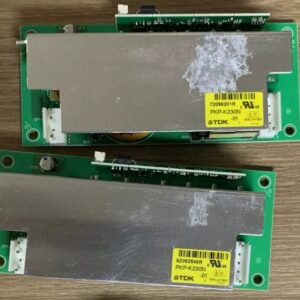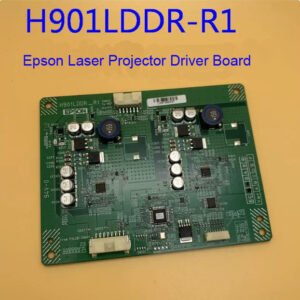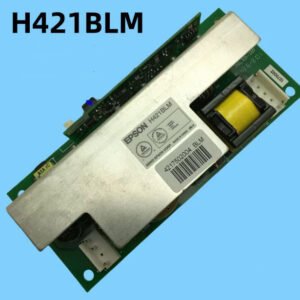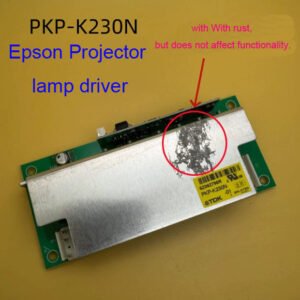
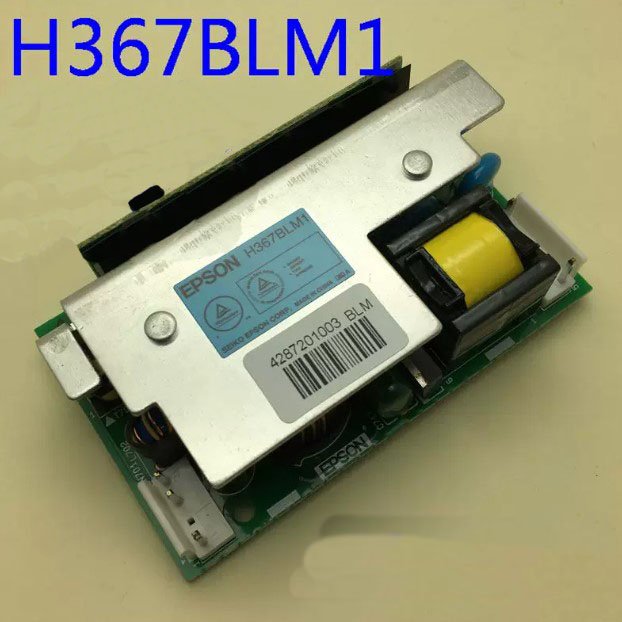
Epson H367BLM1 Ballast – Genuine Lamp Driver for EB‑C05S / C10SE / C15S / C20X / C25XE Projectors
If your Epson EB‑C05S, C10SE, C15S, C20X, or C25XE projector powers on but the lamp never lights – no ignition sound, no light output, and you see blinking status lights – the ballast board (lamp driver / lamp power supply) has likely failed. This genuine Epson H367BLM1 ballast board is the exact replacement that restores proper lamp ignition and stable power regulation.
It’s not a refurbished pull or a third‑party board. Original Epson PCB with correct high‑voltage transformer, ignition timing, and lamp current regulation for these SVGA/XGA education projectors. The board is labelled H367BLM1 – match it with your original before ordering.
Ballast also known as a lamp driver, lamp power supply unit (PSU) – this board provides the high-voltage strike to ignite the UHE lamp and then regulates power during normal operation.
| Compatible Models | Epson EB‑C05S (SVGA), EB‑C10SE (SVGA), EB‑C15S (SVGA), EB‑C20X (XGA), EB‑C25XE (XGA) – education / business series |
|---|---|
| Part Number | H367BLM1 |
| Component Type | Lamp Ballast Board / Lamp Driver / Lamp Power Supply / Igniter Board |
| Condition | New, original Epson service part (not refurbished) |
| Installation | Direct replacement – accessible after removing lamp cover and metal shield. Same mounting holes and connectors as original board. |
| Common Failure Signs | • Projector powers on (fans run, status LEDs on) but lamp does not light • No ignition sound (no high-voltage buzz or ticking) • Lamp LED flashes or projector shows lamp error after 30-60 seconds • Visible damage – burnt components, bulging capacitors, or dark spots on the board |
| Alternative Names | Lamp Driver, Ballast Unit, Lamp Power |
Why the ballast board fails – and why you need the genuine H367BLM1
After years of daily classroom use (often 3,000‑8,000+ lamp hours), the ballast board’s high-voltage capacitors and transformer windings degrade. Common failure symptoms include:
- No lamp ignition – the projector starts normally, fans run, but you never hear the characteristic “tick” or buzz of the lamp striking.
- Repeated lamp errors – even after installing a brand new lamp, the projector still shows a lamp failure error.
- Visible board damage – burnt spots, cracked solder joints, or bulging electrolytic capacitors.
- Intermittent operation – the lamp lights sometimes but not always, or works for a while then shuts off.
A generic or non‑original ballast board may have mismatched ignition voltage (too low to strike the lamp or too high, risking lamp explosion) or incorrect current regulation (causing lamp flicker or shortened lamp life). This genuine H367BLM1 ballast board has the factory‑spec 1-2kV ignition pulse and proper steady-state lamp current for your EB‑C series projector.
Restore your EB‑C series projector – not the whole unit
Swapping the ballast board takes about 10-15 minutes. Remove the lamp cover and the lamp itself, then remove the metal shield covering the ballast area (usually 2-3 screws). Disconnect the two wiring harnesses (lamp connector and main power input), unscrew the old board, and install the new H367BLM1 board. Once replaced, the lamp will ignite normally on the first try, and your projector will be back to full brightness. Don’t scrap a perfectly good 3LCD optical engine because of a failed lamp driver – this genuine Epson ballast gives your classroom projector a second life.
Note: Before ordering, remove your old ballast board and confirm it has the H367BLM1 label. Different C‑series models sometimes use different ballast revisions – send us a photo of your original board for compatibility confirmation.