

BenQ Th672st Color Wheel Replacement, 6 Segments
This color wheel is an original OEM part designed for BenQ Th672st.
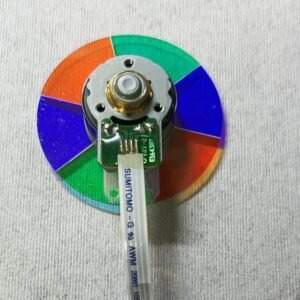
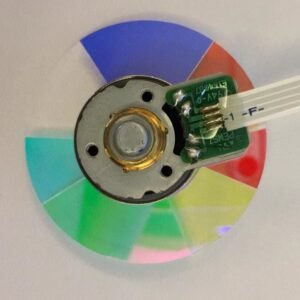
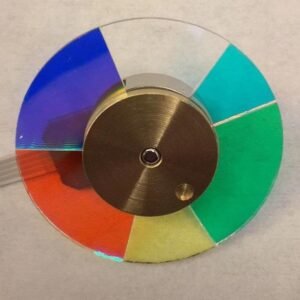
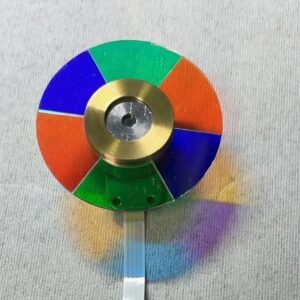
BenQ Th672st shutting down after startup, making grinding noise, or showing washed‑out colors? Don’t rush to replace the whole projector – that’s almost always the color wheel. Replace it with this genuine BenQ Th672st color wheel, not a cheap copy. Exact specs: 6 segments, RGBWCY sequence (Red, Green, Blue, White, Green, Yellow).
| Compatible Model | BenQ Th672st |
| Condition | Brand new, 100% Original BenQ part |
| Segments | 6 – RGBWCY (dual Green + dual White) |
| Speed | N/M |
| Installation | Direct replacement, reuse original housing |
Why RGBWCY color wheel for BenQ TH672st projector
The TH672st uses a RGBWCY (Red, Green, Blue, White, Cyan, Yellow) timing profile optimized for short-throw projection and vivid color reproduction. The addition of Cyan and Yellow segments expands the color gamut beyond standard RGBW designs, delivering richer greens, deeper cyans, and warmer skin tones – essential for gaming and fast-paced sports content. The white segment boosts overall brightness to compensate for short-throw light loss, ensuring a crisp, punchy image even in moderate ambient light. Using a different wheel (such as RGBRGB or RGBCMY) will cause startup failure or permanently wrong colors.
Signs Your Color Wheel Is Failing
- Projector shuts down seconds after power‑on
- Grinding or high‑pitched whining noise
- Flickering image or rainbow artifacts
- Washed‑out colors, yellow/pink whites, or poor HDR
Replacement takes about 20 minutes if you’re comfortable opening a projector. The mounting holes align perfectly, and the flex cable connects directly. Fresh bearing kills noise, factory balance stops vibration.
Tip: Verify your old wheel. Match segment pattern (RGBWCY) and diameter. Send a photo if unsure.
Reviews
There are no reviews yet.