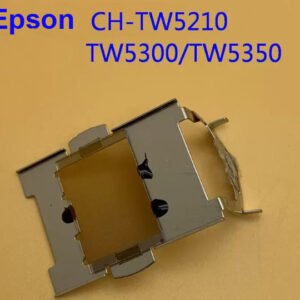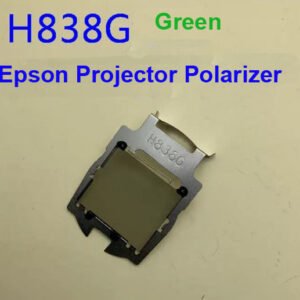
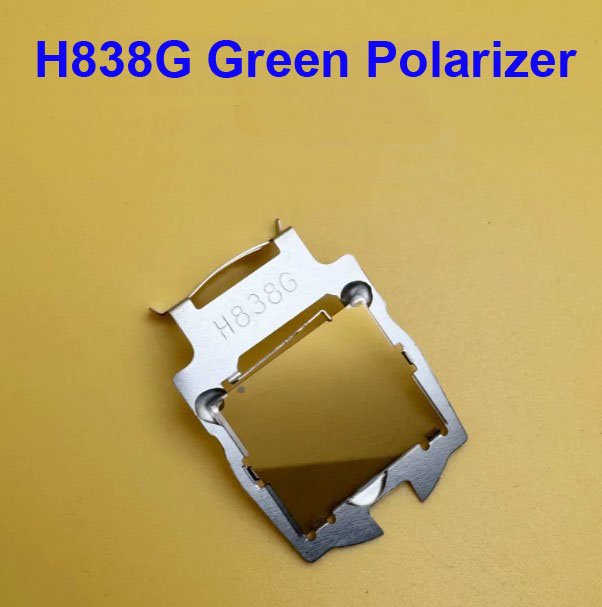
Epson H838G Green Polarizer – Genuine Replacement for CB-L510U / L610U / L530U / L630U / L730U Laser Projectors
If your Epson CB‑L series laser projector is showing a green color cast across the entire image, uneven green tinting (one side of the screen looks greener than the other), or the green channel appears washed out with poor contrast – the green polarizer inside the optical engine has likely degraded. This genuine Epson H838G green polarizer plate is the exact replacement part that restores proper green channel performance.
It’s not a refurbished pull or a generic polarizer sheet. Original Epson polarizing film with the correct light transmission angle and heat resistance for laser projectors. The part is labelled H838G – specifically for the green LCD panel channel.
| Compatible Models | Epson CB‑L400U, CB‑L510U, CB‑L610U, CB‑L530U, CB‑L630U, CB‑L730U (EB‑L series WUXGA laser projectors) |
|---|---|
| Part Number / Label | H838G – Green channel polarizer (part of the 3LCD optical engine polarizer set) |
| Component Type | Green Polarizer Plate / Green Polarizing Film – Mounted before or after the green LCD panel in the light path |
| Condition | New, original Epson service part (not refurbished or third‑party) |
| Installation | Requires optical engine disassembly – advanced repair. The polarizer is mounted on a glass plate directly in front of the green LCD panel. |
| Common Failure Signs | • Green color cast across the entire image – whites look greenish • Uneven green tint – left or right side of the image is greener than the other • Poor contrast in the green channel – greens look washed out or muddy • Blotchy green patches that move when you change focus • Projector has high hours (typically 8,000‑12,000+ laser hours) with original polarizers |
| Alternative Names | Green Polarizer, G‑Polarizer, LCD Polarizer, Polarizing Plate |
Why the green polarizer fails – and why you need the genuine H838G
In Epson’s 3LCD laser projectors, each color channel (red, green, blue) has its own polarizer plate before and after the LCD panel. The polarizers are exposed to intense light and heat from the laser phosphor source. Over time (typically 8,000‑15,000 hours), the polarizing film can:
- Yellow or burn – the film changes color, causing a green or yellow tint.
- Delaminate – the film separates from the glass, creating uneven patches or blurry areas.
- Fade – the polarizing efficiency drops, reducing contrast in that color channel.
Because the green channel carries most of the brightness information, a failing green polarizer is often the most noticeable. Generic polarizer sheets may have the wrong transmission axis angle or lower heat resistance, leading to quick failure or incorrect color balance. This genuine H838G green polarizer has the exact polarizing angle (45° or 135° depending on the optical design) and heat tolerance for the CB‑L series laser engines.
Which polarizer do you need? Red, Green, or Blue?
To identify which polarizer has failed, display full red, green, and blue screens using a test pattern generator:
- Green screen looks uneven or tinted – the green polarizer (H838G) is likely bad.
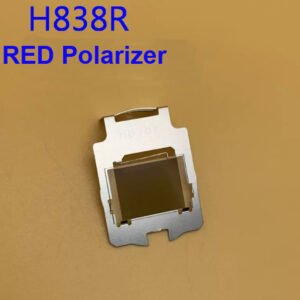
- Red screen has issues – you need the red polarizer (different part number).
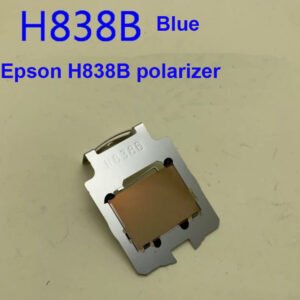
- Blue screen has issues – you need the blue polarizer (different part number).
If the entire image has a green tint on all colors, the green polarizer before the LCD panel (pre‑polarizer) is usually the culprit. If only the green channel looks washed out but white balance is correct, the post‑polarizer may be failing. We stock all three polarizers – send us a photo of the optical block or a description of the symptom, and we can help identify which part you need.
Restore your CB‑L laser projector – not the whole unit
Replacing the H838G green polarizer requires opening the optical engine. This is an advanced repair best performed by experienced technicians. The polarizer plate is held in a metal frame with two screws. Carefully note the orientation of the original polarizer (the film side faces the LCD panel). Once replaced, the green channel will return to full contrast and even illumination – no more green tints, no more blotchy patches. Your CB‑L series laser projector will deliver factory‑spec image quality again, without the cost of a full optical engine replacement.
Note: Before ordering, remove the top cover and optical engine shield, and locate the green polarizer (it is typically labeled G or has a green dot on the frame). Send us a photo showing the original H838G part number stamp to confirm compatibility.