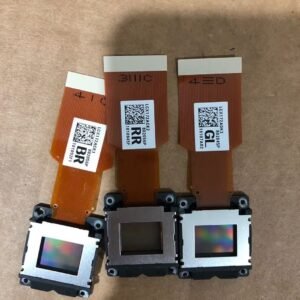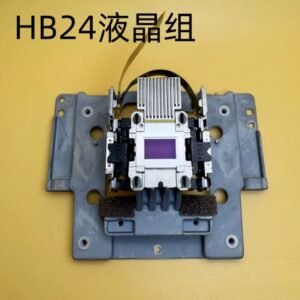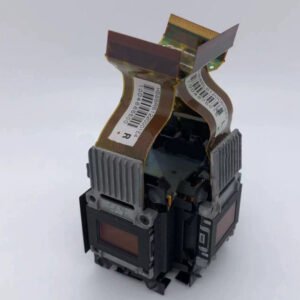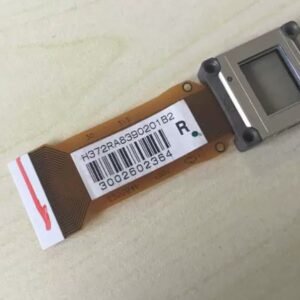
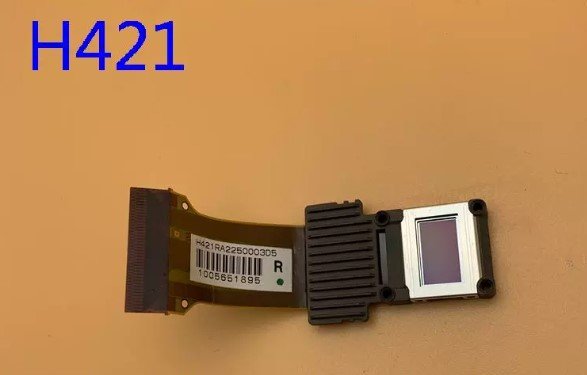
Original Epson EH‑TW5810C / TW6510C / TW6515C LCD Panel (H421)
Important – Advanced Repair Only. This is a genuine replacement LCD panel (H421) for Epson home cinema projectors. It fits EH‑TW5810C, TW6510C, and TW6515C models. However, after installation, you must manually re‑adjust convergence (focus and alignment of the three LCD panels). Incorrect alignment will result in colour fringing, ghosting, or blurred images. Please confirm you have the necessary skills and test patterns before purchasing.
This is not a plug‑and‑play module. The panel is brand new, original Epson service stock. It does not come pre‑aligned. You will need to open the optical block, replace the panel, and then use the projector’s service alignment mode (or external test patterns) to bring red, green and blue into perfect registration. If you are not experienced with optical block repairs, we strongly recommend using a professional repair shop.
| Compatible Models | Epson EH‑TW5810C, EH‑TW6510C, EH‑TW6515C |
|---|---|
| Part Number / Code | H421 |
| Condition | Brand New – Original Epson Spare Part |
| Installation Requirement | Manual convergence (focus) re‑alignment is mandatory after replacement |
| Skill Level | Advanced – optical block disassembly and alignment experience required |
| Note | No service manual or alignment jig included. Purchase only if you can perform full convergence adjustment yourself. |
Why convergence adjustment is mandatory
Epson 3LCD projectors split light into three independent red, green and blue channels. This LCD panel is one of those three. When you replace a single panel, the physical position of the new panel will never exactly match the old one. You must mechanically adjust the panel’s tilt and position (convergence) until all three colours overlap perfectly. Without proper adjustment, you will see colour shadows, particularly at the edges of the image. No software or menu setting can fix this – it has to be done manually with the projector open and running a test pattern.
Signs you need this panel
- Dead pixels or black streaks – permanent dark spots or lines not caused by dust.
- Colour cast or missing colour – the entire image has a strong red, green or blue tint because that LCD panel has failed.
- Vertical banding or uneven brightness – one colour channel shows vertical stripes.
- Physical damage – cracked or burnt panel visible on inspection.
Before you buy – be realistic
This is sold as a spare part for experienced technicians. Refunds will not be given for failed alignment or dust contamination. If you have never adjusted convergence on a 3LCD projector before, please find a local repair centre. If you are confident, we can provide basic guidance, but no step‑by‑step manual. Restore your Epson to like‑new optical performance – if you have the skill to do it.
Tip: Take clear photos of your old panel’s orientation and flex cable routing before disassembly. Work in a dust‑free environment. Prepare a cross‑hatch or grid test pattern before you start.