
Epson L3C09W-85G00 LCD Panel Replacement – New Original LCD Panel
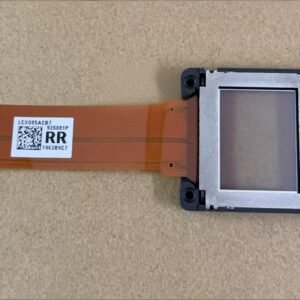
The Epson L3C09W-85G03 LCD panel is a genuine replacement LCD imaging panel used in selected Epson 3LCD projectors. This is a single LCD panel only, not a complete LCD block or optical engine assembly.
Please note that the panel supplied may carry part number L3C09W-85G03. This is the original panel used as a replacement for L3C09W-85G00 applications. Before ordering, verify the panel number printed on your existing LCD panel.
| Panel Model | L3C09W-85G00 |
|---|---|
| Replacement Part | L3C09W-85G03 |
| Condition | New Original |
| Type | Single LCD Panel |
| Compatible With | L3C09W-85G00 |
| Not Compatible With | L3C09W-86G03, L3C09W-86G00, L3C09W-85G05 |
How to Identify the Correct LCD Panel
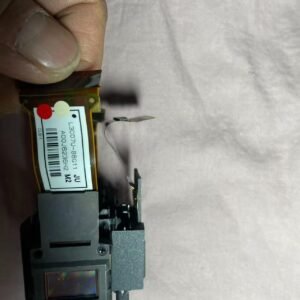
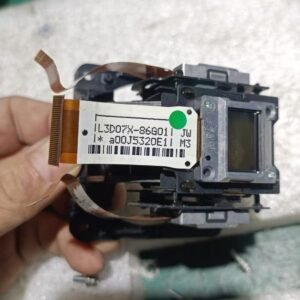
The LCD panel number is normally printed on the flexible ribbon cable or on the rear side of the panel assembly. The replacement panel must match the original panel number exactly. Even visually similar Epson LCD panels may not be interchangeable.
The L3C09W-85G00 panel belongs to Epson’s 85G-series architecture and should not be substituted with 86G-series panels.
Common Symptoms of a Failed L3C09W-85G00 LCD Panel
- Permanent dead pixels that remain visible at all times.
- Dark vertical or horizontal lines across the image.
- Color channel failure causing red, green, or blue image imbalance.
- Burn marks or discoloration visible on the LCD surface.
- Polarizer damage resulting in yellow or brown image areas.
Installation Requirements
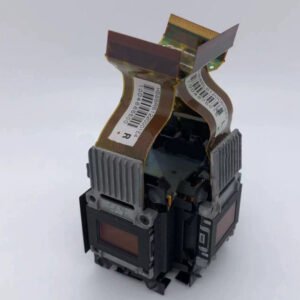
This replacement requires complete disassembly of the projector optical block. After installation, convergence alignment must be manually adjusted to restore proper color registration.
- Optical block repair experience required.
- Cross-hatch alignment pattern recommended.
- Dust-free working environment required.
- Professional tools recommended.
Improper installation may result in convergence errors, dust contamination, or image distortion.