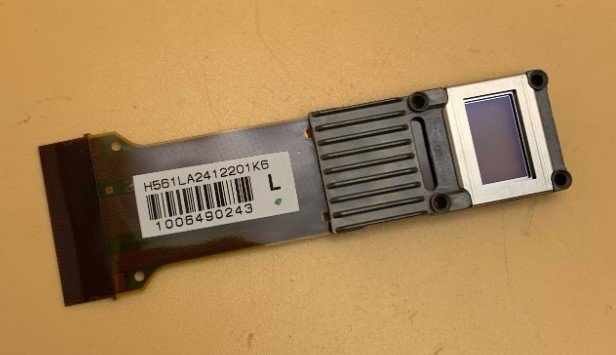
Epson H561 LCD Panel (1080p) – Genuine Replacement for CH‑TW5200 / HC2030 Projectors
If your Epson CH‑TW5200 or HC2030 projector is showing dead or stuck pixels, uneven color patches, vertical lines, or a noticeable drop in image quality on one color channel – a failed LCD panel inside the optical engine is often the cause. This genuine Epson H561 LCD panel is the exact replacement part that restores full 1080p image quality.
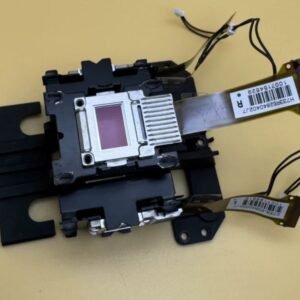
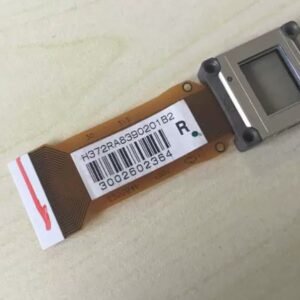
It’s not a refurbished pull or a generic replacement. Original Epson high-temperature polysilicon LCD with factory-aligned polarizer and correct aperture for 1080p (1920 x 1080) resolution. The panel is labelled H561 – match it with your original before ordering.
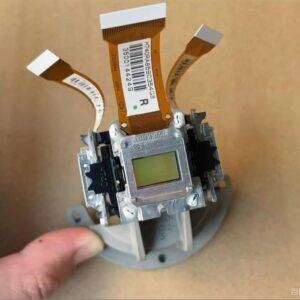
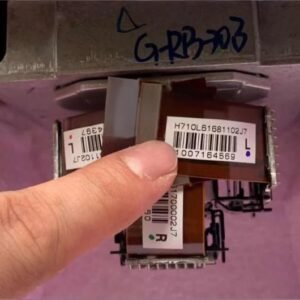
Why an LCD panel fails – and why you need the genuine H561In Epson’s 3LCD projectors, three separate LCD panels (one each for red, green, and blue) combine to form the full-color image. The TW5200 and HC2030 use high-temperature polysilicon (HTPS) LCD panels designed for 1080p resolution. Over time (typically 3,000‑8,000+ lamp hours), individual panels can develop:
- Stuck or dead pixels – individual dots that remain bright or dark, caused by failed transistor drivers.
- Vertical lines – column driver failures affecting entire stripes of the image.
- Color patch or uneven illumination – the polarizer attached to the panel can degrade, causing blotchy areas.
- Contrast loss on one color – the liquid crystal material can degrade, reducing the panel’s ability to block light.
The TW5200 is known to develop pixel defects after extended use, particularly if operated in high-temperature environments or with clogged air filters [citation:1]. A generic LCD panel may have mismatched contrast ratio, incorrect polarizer alignment, or different response times – causing color imbalance that cannot be corrected with projector settings. This genuine H561 panel matches the original optical specifications for the TW5200 and HC2030.Which panel do you need? Red, Green, or Blue?Inside the optical engine, each color has its own LCD panel with a specific polarizer orientation. To determine which panel has failed:
- Display a full red screen – if you see dead pixels, lines, or uneven patches only on red, the red panel needs replacement.
- Display a full green screen – green channel issues indicate the green panel is failing.
- Display a full blue screen – blue channel issues indicate the blue panel is failing.
We stock individual H561 panels for each color. If you are unsure which panel failed, send us a photo of the projected test pattern, and we will help identify the correct replacement.Restore your TW5200 or HC2030 – not the whole projectorReplacing an LCD panel requires careful disassembly of the optical engine. This is an advanced repair best performed by experienced technicians. The panel is part of a sealed prism assembly – once replaced, the projector will deliver full 1080p resolution again with no dead pixels or color patches. The TW5200 is still a capable 1080p 3D projector with 2000 lumens and excellent color reproduction [citation:1] – don’t scrap it because of a failed LCD panel. This genuine H561 panel brings your home cinema projector back to factory image quality at a fraction of the cost of a new unit.Note: Before ordering, remove the optical engine cover and locate the LCD panel assembly. Send us a photo showing the original H561 label to confirm compatibility. Also confirm that your issue is not simply a dirty polarizer or a failing mainboard – we can help diagnose with additional photos.
| Compatible Models | Epson CH‑TW5200 (1080p 3D home cinema), Epson HC2030 (1080p home projector – regional variant) |
|---|---|
| Part Number / Label | H561 – Individual LCD panel (prism assembly for one color channel) |
| Specifications | 1080p (1920 x 1080) native resolution, part of Epson’s 3LCD optical engine |
| Condition | New, original Epson service part (not refurbished or third‑party) |
| Installation | Requires optical engine disassembly – advanced repair. The LCD panel is part of the 3-panel prism assembly. |
| Common Failure Signs | • Dead or stuck pixels (bright or dark dots that never change) • Vertical or horizontal lines on the image • Uneven color patches (red, green, or blue tinted areas) • Poor contrast or washed-out colors on one channel • Image burn-in or ghosting effects |