
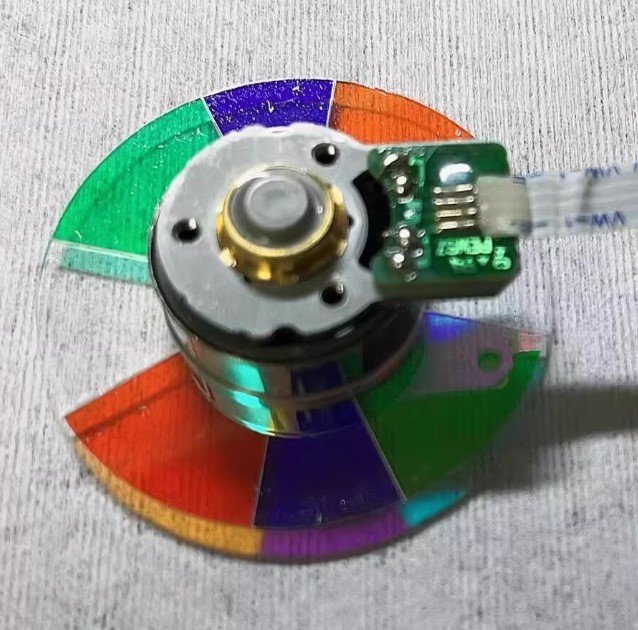

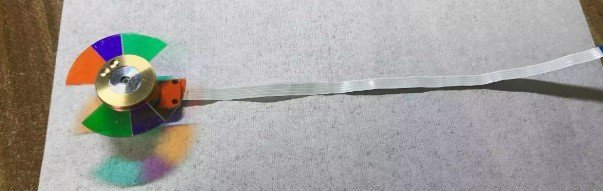
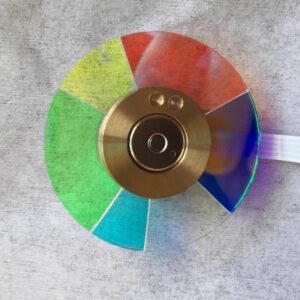
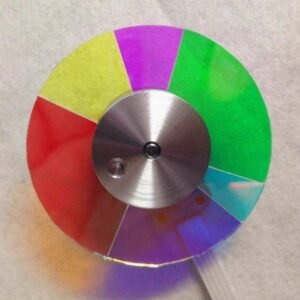
Optoma UHD35+ Projector Color Wheel – New Original 8 Segment (Wheel Only, No Housing)
If your Optoma UHD35+ 4K projector has started showing color breakup, a persistent rainbow shimmer, or makes that high‑pitched whine every time you power it up — don’t assume the whole unit is done for. In most cases, it’s simply a worn‑out color wheel. This new original UHD35+ color wheel with 8 segments is the exact replacement you need to restore proper 4K image quality.
Important note: This is the color wheel only — it does not include the plastic housing / bracket. You will need to reuse your original housing (the frame that holds the wheel). This is standard practice for many Optoma 4K models, and it takes just a few extra minutes during installation. The wheel itself is factory‑fresh — not a refurbished pull, not a cheap copy. The glass, mirror coating, and dynamic balance match Optoma’s original service parts.
| Compatible Model | Optoma UHD35+ (4K home cinema / UHD series) |
| Condition | New & Original (not refurbished) |
| Segment Configuration | 8 segments |
| Included Items | Color wheel only (no plastic housing / bracket – reuse original) |
| Installation | Transfer original housing to this wheel, then mount as direct replacement |
Why the UHD35+ needs this specific 8‑segment wheel
The UHD35+ is a 4K DLP projector designed for home cinema and gaming. It uses an 8‑segment color wheel (exact color sequence and speed are printed on the original wheel – typically a dual RGBW design). Compared to 6‑segment wheels, the 8‑segment design significantly reduces the rainbow effect and improves color uniformity across the 4K image. The DLP chip’s fast switching timing is calibrated specifically for this 8‑segment order. Drop in a 6‑segment wheel or a non‑original part, and the UHD35+ may fail its self‑check, show permanent color banding, or simply refuse to display 4K properly. This original 8‑segment wheel is what Optoma designed — nothing else works right.
What you need to know about “wheel only” installation
Because this replacement is the bare color wheel without the plastic housing, you will need to:
- Remove the old color wheel assembly from your UHD35+
- Carefully detach the old wheel from its housing (usually a few small screws)
- Mount this new original wheel onto your existing housing
- Reinstall the complete assembly back into the projector
This is a straightforward process for anyone comfortable with basic projector repair. The new wheel has the same screw hole pattern and balance as the original. If you prefer a ready‑to‑install assembly (wheel + housing), please contact us — but for most DIY users, the wheel‑only option saves money and works perfectly.
Real‑world signs your UHD35+ color wheel is failing
You don’t need a technician. Listen: a rhythmic grinding or constant whine that changes pitch with brightness — that’s a dying bearing. Look: rainbow trails behind fast motion (more noticeable on 4K content), or colors that suddenly look washed out, or the image breaks into color flashes. And if the projector powers on, the lamp lights, but the screen stays dark or it shuts down after a few seconds — the color wheel has failed its self‑check. A fresh original 8‑segment wheel fixes every single one of these issues.
Restore your UHD35+ — not the whole projector
Swapping just the color wheel (reusing your original housing) is a cost‑effective repair. Once installed, the fresh bearing spins quietly, the factory balance kills vibration, and the 8‑segment mirror coating restores accurate color decoding for 4K HDR. Your UHD35+ will pass its startup check and deliver the crisp, rainbow‑free image you bought it for. Don’t scrap a perfectly good 4K DLP chip and lamp. Replace the one part that actually wears out — and get back to your games and movies.
Reviews
There are no reviews yet.