
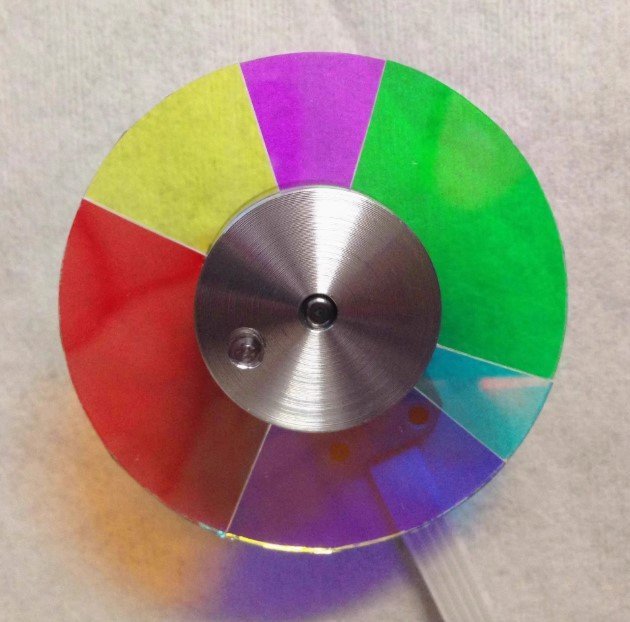
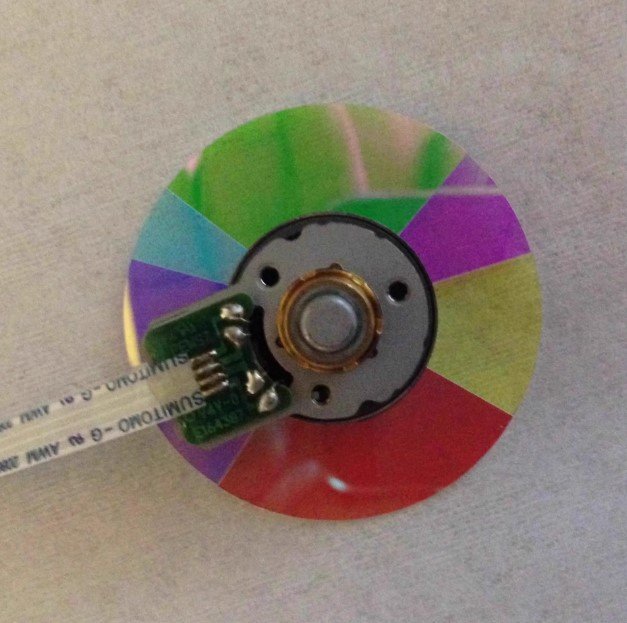
Optoma IS802C Projector Color Wheel Replacement – New Original
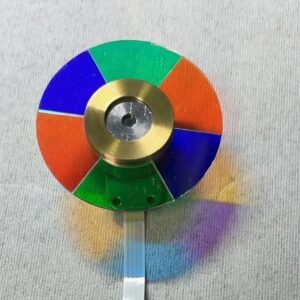
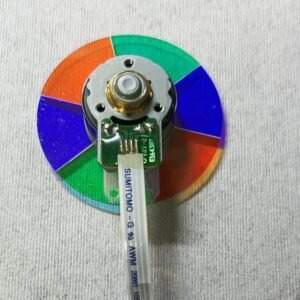
If your Optoma IS802C projector has started shutting down seconds after power‑up, making a grinding or whining noise, flickering, or showing weird colors (skin tones look purple, greens turn muddy) — don’t assume the whole unit is dead. In most cases, the problem is simply a worn‑out color wheel. This new original IS802C color wheel with 6 segments (R‑Y‑M‑G‑C‑B) is the exact replacement you need.
It’s not a refurbished pull or a cheap copy. Factory glass, original mirror coating, proper dynamic balance. The IS802C is a reliable installation projector for classrooms and conference rooms; this wheel matches Optoma’s service parts perfectly.
| Compatible Model | Optoma IS802C (installation / professional series) |
| Condition | New & Original (not refurbished) |
| Segment Configuration | 6 segments |
| Color Sequence | R‑Y‑M‑G‑C‑B (Red, Yellow, Magenta, Green, Blue, Cyan) |
| Installation | Direct replacement – same mounting holes & flex cable |
Why your IS802C needs this exact RYMGCB wheel
The IS802C’s DLP timing is hard‑coded to the R‑Y‑M‑G‑C‑B sequence. Magenta and cyan extend the color gamut, giving you richer colors for presentations and video. Using a different color order (like RYGCWB or RGBRGB) will cause the projector to fail its self‑check or produce permanently wrong colors. This original wheel is what Optoma designed – no substitutes work correctly.
Real‑world signs of a failing color wheel
- Auto shut‑down – projector powers off a few seconds after the lamp lights (failed self‑test).
- Mechanical noise – constant whining, grinding, or rattling that changes with brightness.
- Image flicker or rainbows – flashing picture or color trails on moving objects.
- Abnormal colors – skin tones look purple, reds turn orange, greens appear muddy.
Replacing the old wheel with this fresh original RYMGCB wheel cures all of these issues in one straightforward swap.
Restore your IS802C – not the whole projector
Swapping the color wheel is a doable repair for anyone comfortable opening a projector case. The new wheel fits exactly onto your original housing, and the flex cable clicks right in. You get a fresh bearing (no more noise), factory balance (no vibration), and correct color decoding. Don’t scrap a perfectly good DLP chip and lamp – just change the one part that wears out. Keep your classroom or conference room running with clean, stable, accurate images.
Tip: Compare this wheel’s diameter and segment pattern with your old one. Send us a photo if you’re unsure.
Reviews
There are no reviews yet.