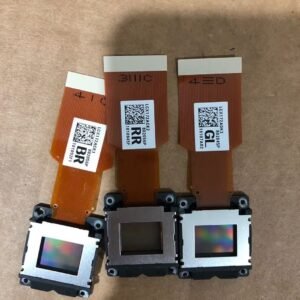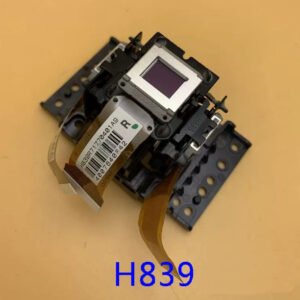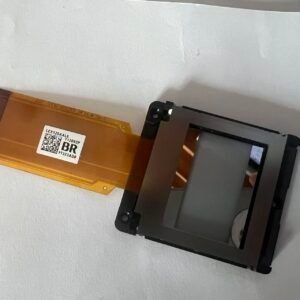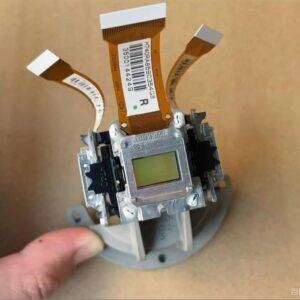

LCD Panel Replacement for Sanyo PLC-WTC500AL Projector
This original LCD panel is designed for repairing image defects in the Sanyo PLC-WTC500AL projector. It is intended for professional service technicians performing optical block repairs.
A damaged LCD panel can cause colour distortion, vertical lines, dead pixels, image burn, and loss of a colour channel. Replacing the faulty panel can restore normal image performance.
Signs Your PLC-WTC500AL LCD Panel May Have Failed
- Permanent vertical or horizontal lines
- Large clusters of dead pixels
- Loss of red, green, or blue colour channel
- Dark patches or uneven brightness
- Burnt image areas
- Colour shading that remains after lamp replacement
Product Specifications
| Compatible Projector | Sanyo PLC-WTC500AL |
|---|---|
| Part Type | LCD Panel |
| Condition | New Original |
| Included Items | Single LCD Panel Only |
| Installation | Professional Repair Recommended |
How to Confirm LCD Panel Failure
Before purchasing, inspect the projector’s optical block. Symptoms such as colour distortion, vertical lines, and image burn are often caused by a failed LCD panel rather than the lamp or main board.
If you are unsure which part has failed, send us photos of the projected image and your projector model. We can help verify compatibility before ordering.
Professional Installation Recommended
- Requires optical block disassembly
- Requires LCD panel alignment
- Requires dust-free assembly environment
- Recommended for experienced technicians only